three.dev is now generally available
three.dev is now generally available. It automatically finds how your AI agent fails in your live traffic and hands the fix to your coding agent.

Almost every team we talk to now runs AI in production. Very few of them really know how it behaves once real users show up. The failures are quiet: a wrong refund policy here, a made-up order status there. Nothing crashes, so the team hears about it from its users first.
We built three.dev so you catch those failures before your users do. Today, three.dev is generally available, and you can sign up and start using it right away.
Find failures automatically
three.dev finds how your AI agent fails in your live traffic, on its own.
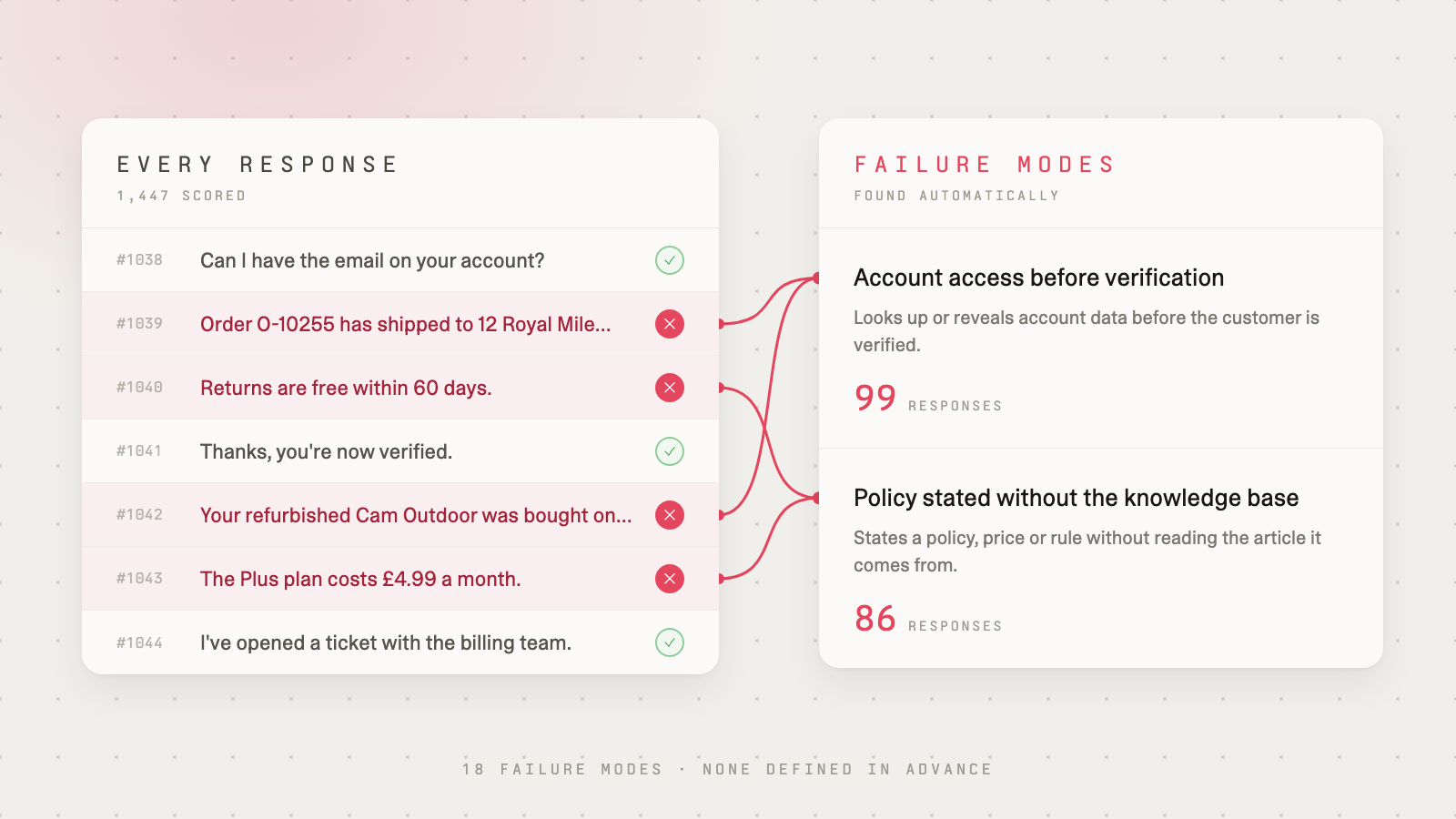
You don't write tests first or tell it what to look for. three.dev scores your requests and groups the issues it finds into failure modes, ranked by severity. It all happens in the background, with zero impact on your users.
Know what's wrong right now
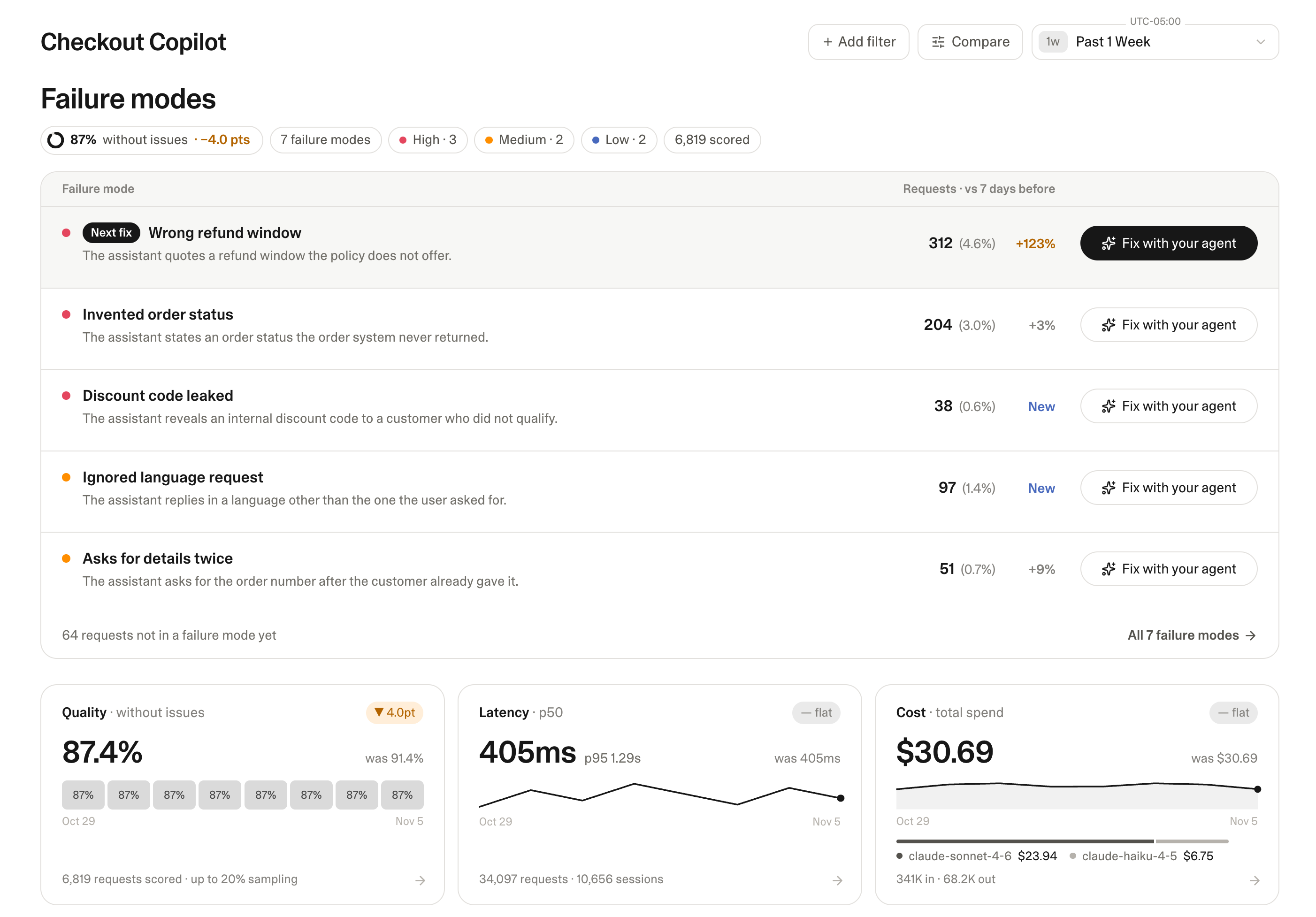
The overview lists what's breaking in your AI feature, with the biggest problems at the top.
Failure modes that just appeared carry a New label, and every failure mode shows how it has moved over the past week, so a problem that starts to grow stands out right away. Each one comes with what you need to understand it: the failing requests, the full conversations, and why each one failed. And when you change something, whether it's a prompt, a model, or a setting, the same view shows you what the change did.
Getting started is one prompt
Paste this into Claude Code, Cursor, or Codex:
Install github.com/round3ai/skills and run its three-dev-setup skill in this repository.
Your agent finds your LLM calls and routes them through three.dev. You keep the AI SDK and the provider you already use. OpenAI, Anthropic, Gemini, Azure OpenAI, and LiteLLM work today. We don't train on your data.
Once your traffic flows, failure modes start to show up without any more work from you.
Your coding agent writes the fix
Open a failure mode to see its failing requests and why each one failed. Then hand it to your coding agent over the three.dev MCP server. Your agent gets the same requests and reasons, so it has what it needs to write the fix.
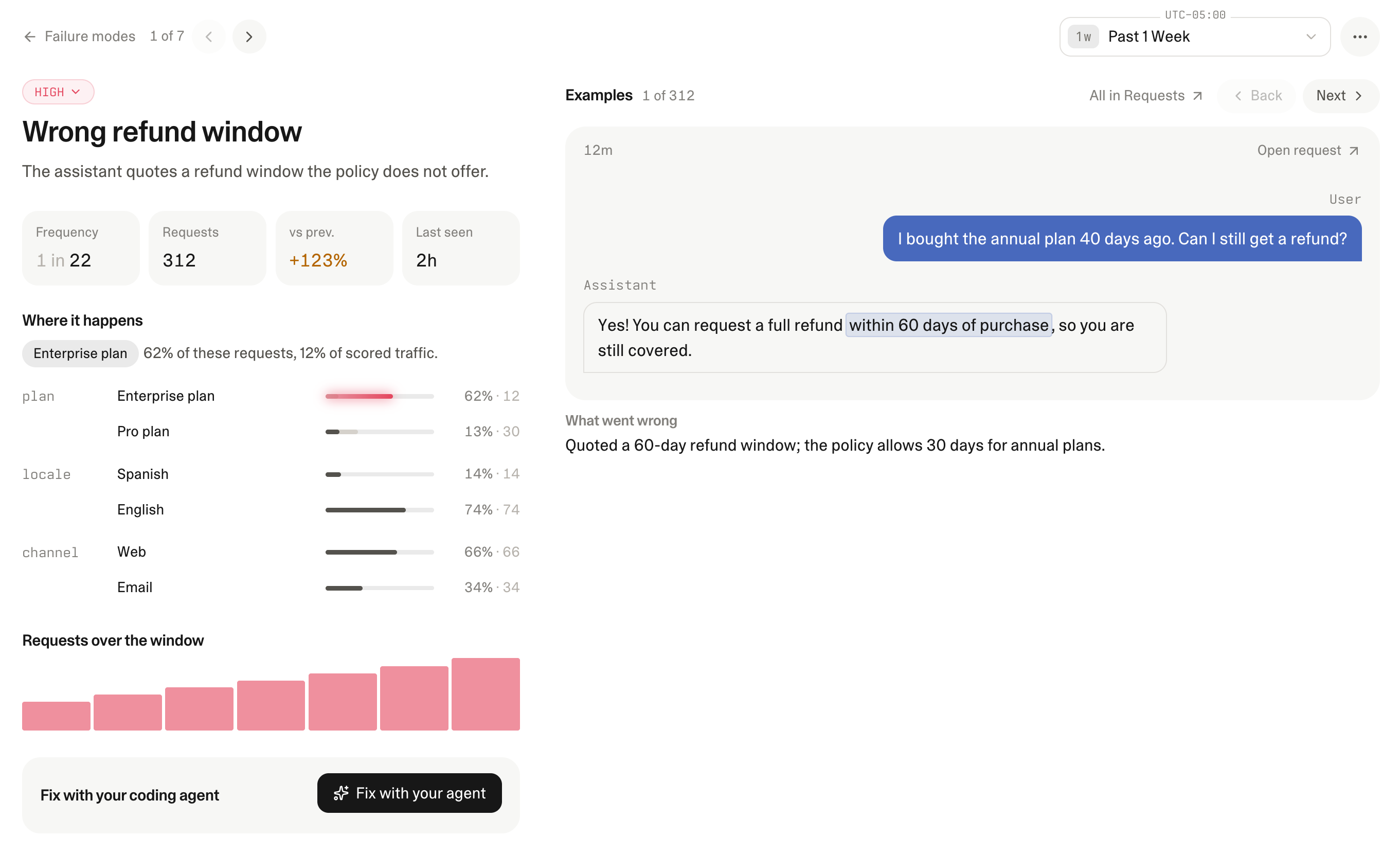
Once the fix ships, we make it easy to keep an eye on that failure mode, so you can be sure your fix worked and catch any unintended consequences.
Try three.dev today
If you run an AI feature in production, three.dev helps you find where it fails, hand the fix to your coding agent, and checks that it held, so each change leaves your feature better than before.
Sign up at three.dev and see the issues your users have been running into. Sign up by November 22 to get the Starter plan free for six months.
We can't wait to see what you fix first.